Welcome to Nord Legends Coins of the Divine!
Players stand a chance to win up to R2,5 Million in payouts.
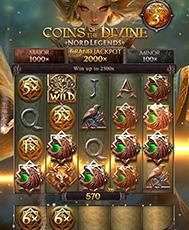
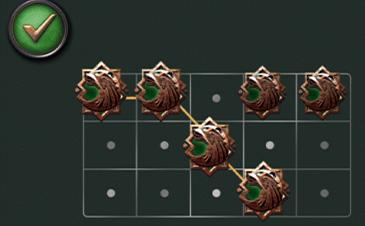
Nord Legends Coins of the Divine is a 5-reel, cascading slot game with 178 pay ways, a brand-new Coin Row feature and a Divine Free Spins bonus!
COIN ROW
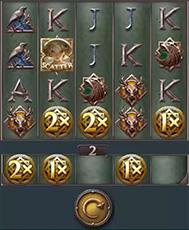
The Coin Row, at the bottom of the reels, adds a new layer of excitement. Coin symbols at the bottom of the reels drop onto the separate Coin Row, and when it’s filled, the total value is awarded to the player. When a Jackpot Coin lands in the Coin Row, the Jackpot Wheel spins, adding one of the Jackpot values to the Coin Row.
The coins in the Coin Row remain there until the counter above the row reaches 0. Each new coin that drops to the Coin Row resets the counter to 3. Therefore the coins expire after 3 spins unless more coins drop to the Coin Row.
Note: The coins in the Coin Row are tied to the bet level at which they were dropped.
DIVINE FREE SPINS

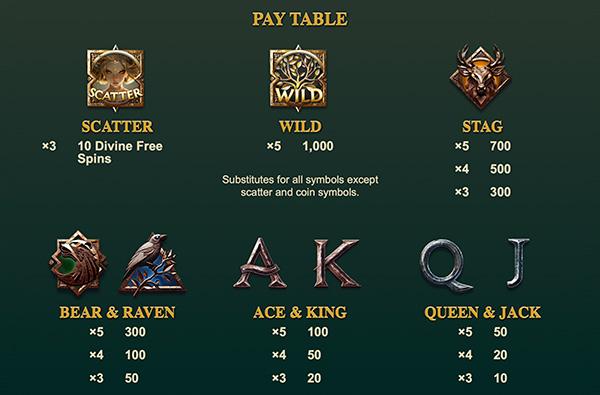
3 SCATTER SYMBOLS anywhere trigger the Divine Free Spins feature.
An initial 10 Divine Free Spins is awarded. During Divine Free Spins, the bet level remains the same as the spin that triggered the Divine Free Spins. Coins in the Coin Row do not expire during Divine Free Spins. All coins in the Coin Row are collected at the end of the feature, regardless of the amount of coins on the Coin Row.
Divine Free Spins end when you are out of spins, or reach the maximum win of 2500x the bet. Good luck!
PAY TABLE

CONNECTING PAY WAYS


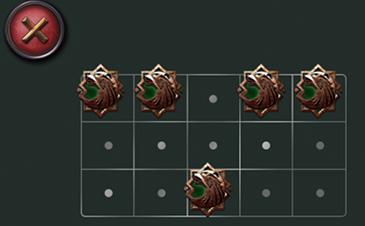
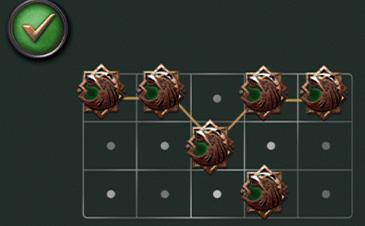
*At least 3 adjacent symbols, starting on the leftmost reel, pay on the 178 possible pay ways.
EXTRAS
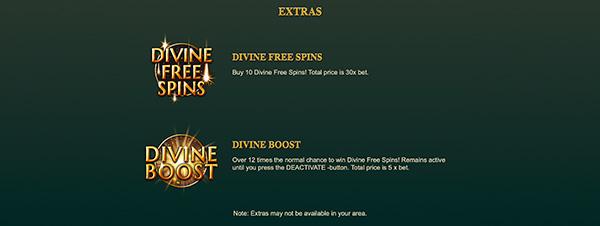
Divine Free Spins
Buy 10 Divine Free Spins. Total price is 30x the bet.

Divine Boost
Over 12 times the normal chance to win Divine Free Spins. Remains active until you press the DEACTIVATE button. Total price is 5x the bet.
Note: Extras may not be available in your area.
OPTIONS

Toggle displaying the game in full-screen mode.

Control the game’s sound volume. Click the icon to mute and unmute.

Control music volume. Click the icon to mute and unmute.
*Some options are not available on all devices.
CONTROLS

Press to open the bet menu.

Press the SPIN button to start a game.

Press the SKIP button to skip animations.

Press the AUTOPLAY button to open the autoplay menu.

Shows the amount of autoplay games remaining. Press to stop autoplay.
KEYBOARD SHORTCUTS
SPACEBAR can be used to SPIN and SKIP animations.
Keyboard shortcuts may not work in all browsers in full-screen mode.